What is Zoom Whitening?
Zoom Whitening is a professional teeth whitening treatment done at a dental clinic. It uses a special light and whitening gel to brighten your teeth quickly. Many people choose Zoom Whitening because it offers fast results and a radiant smile. Unlike over-the-counter products, this treatment is done by a dental professional. Therefore, it is safe and effective. If you search for “Zoom Whitening near me,” you will find many local dental clinics offering this service.
How Does Zoom Whitening Work?
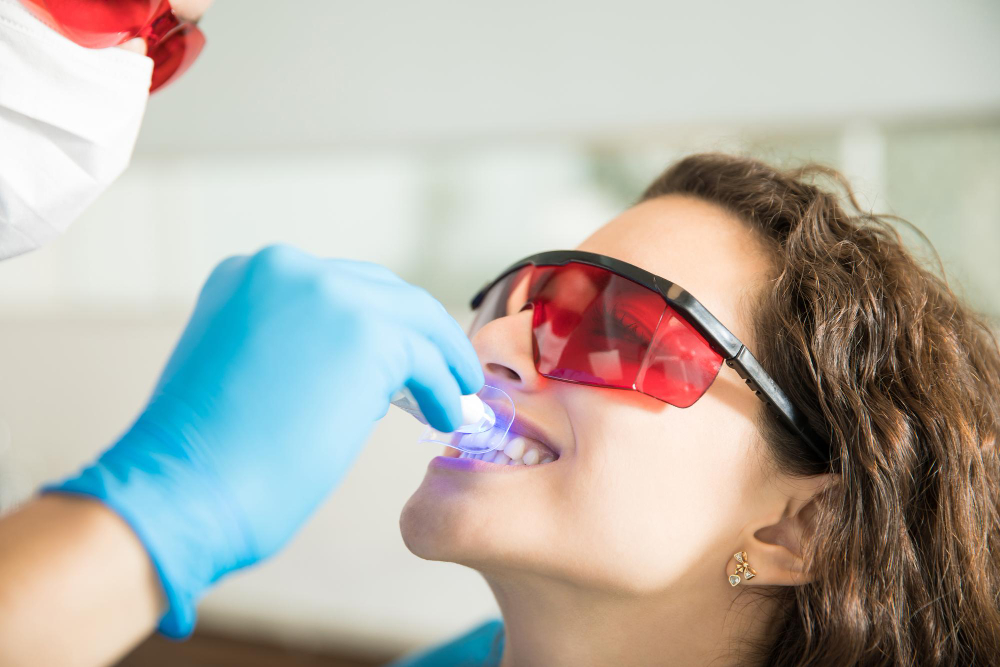
First, your dentist will cover your lips and gums to protect them. Then, a whitening gel is applied to your teeth. After that, a special Zoom light shines on the gel. This light helps break down stains and discoloration. The process usually takes about 45 minutes. In most cases, you will see results right after the treatment. According to the American Dental Association (ADA), professional teeth whitening is safe when done by a dentist.
Benefits of Zoom Whitening
Zoom Whitening offers many advantages over other teeth whitening methods. For example, you can see results in just one visit. Here are some key benefits:
Who is a Good Candidate for Zoom Whitening?
Most adults with healthy teeth and gums can get Zoom Whitening. However, some people may not be good candidates. For instance, if you have dental crowns or fillings on your front teeth, they will not whiten. Also, people with gum disease or sensitive teeth should talk to their dentist first. Pregnant or breastfeeding women should avoid whitening treatments. Your dentist can help you decide if this fast teeth whitening treatment is right for you.
What to Expect During the Procedure
Before the procedure, your dentist will check your teeth and gums. Next, they will clean your teeth to remove any plaque. Then, they will apply the whitening gel and use the Zoom light. The process is usually done in three 15-minute sessions. Between each session, the dentist may check your progress. After the treatment, your teeth may feel a bit sensitive, but this usually goes away soon.
Aftercare and Tips for Maintaining Results
After Zoom Whitening, you will want to keep your smile bright. Here are some helpful tips:
With good care, your results can last a long time. However, you may need touch-up treatments in the future.
Potential Side Effects and Safety
Zoom Whitening is safe for most people when done by a dental professional. Still, some people may have mild side effects. For example, you may feel tooth sensitivity or gum irritation. These effects are usually temporary and go away within a few days. If you have concerns, talk to your dentist. The ADA states that professional teeth whitening is a safe option for a brighter smile.
Frequently Asked Questions
For more information, you can visit the American Dental Association website or ask your dentist.
Consult a dental professional to see if Zoom Whitening is right for you.